
How NanoTracker works
NanoTracker shows whether your Nano is in the plus or in the minus, and whether paying with Nano pays off. Here are the steps, each with a screenshot.
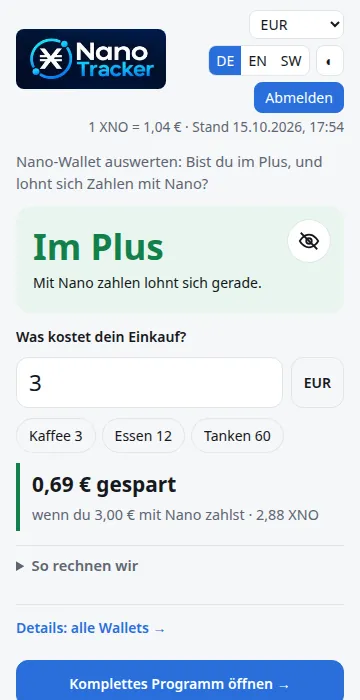
1 · The start page: plus or minus
You enter your Nano address (the public address of the wallet, never the seed). At the top it says “In the plus” or “In the minus”. “In the plus” means your Nano is worth more today than you paid for it. A wallet is the app that holds your Nano.
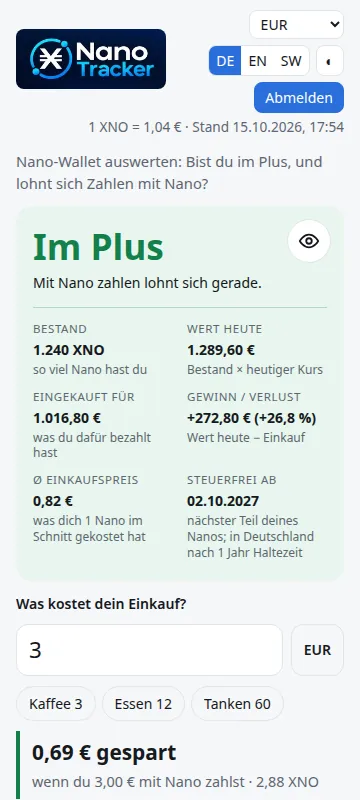
2 · The eye: show the numbers
The eye opens the numbers: balance, value today, what you paid, gain or loss and the average purchase price. The rate is the price of 1 Nano. At the bottom you see when the next part is tax-free after the holding period.
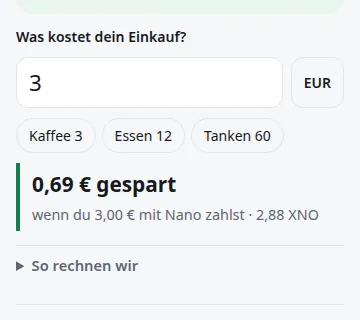
3 · The calculator: what does your purchase cost?
Enter an amount or tap Coffee, Meal or Fuel. The calculator shows what you save when you pay with Nano instead of a card. “How we calculate” shows the formula.
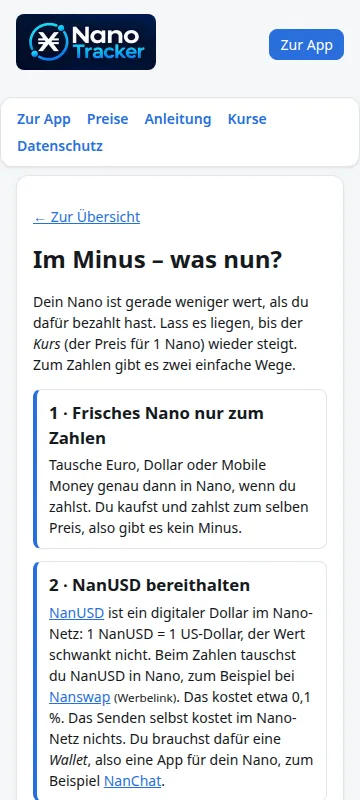
4 · What now? When you are in the minus
If you are in the minus, the “What now?” button appears. The page explains two ways to pay with Nano without realizing a loss, and has a small swap calculator.
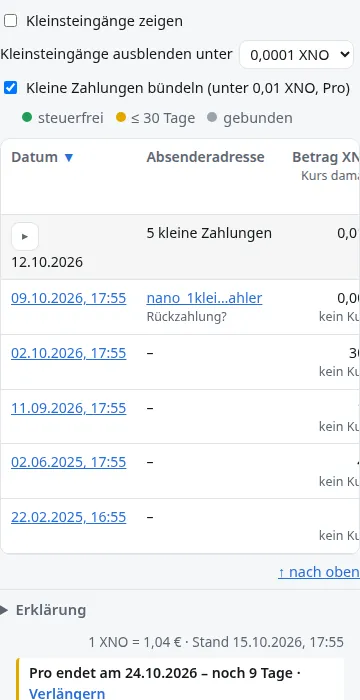
5 · Details: all wallets and every payment
Under “Details: all wallets” you see every payment with date, amount and rate. The dot in the row shows: green = tax-free, yellow = at most 30 days to go, grey = still locked. Small payments can be bundled (Pro).
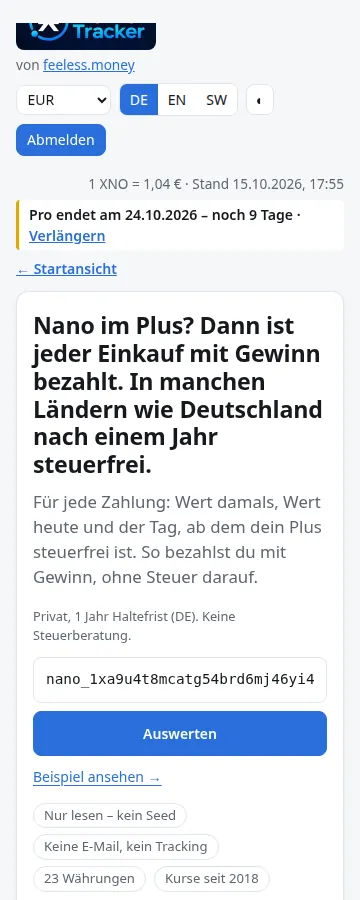
6 · The full program and more wallets
“Open full program” takes you to all functions: add more wallets, export, analysis. Only private wallets count. “See example” lets you try everything without a wallet of your own. The way back is called “Start view”.
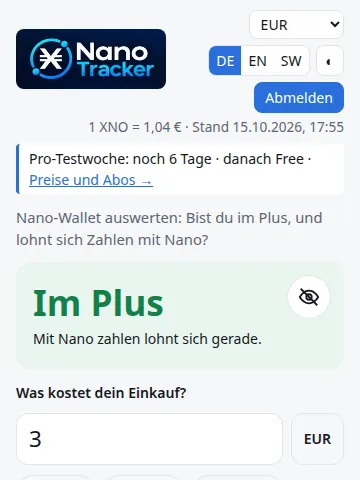
7 · The trial week
While a Pro trial week runs, the start page shows a line with the days left. After that Free applies again. “Prices and plans” leads to the offers.
What is new
- Start page with plus or minus, eye and calculator
- “What now?” page for the case in the minus
- Only private wallets are analyzed
- Instant start: see an example, even without a wallet
- 23 display currencies
- Pro trial week with a line in the start view
- Tax report included in the Pro and Merchant yearly plan
- Small payments below 0.01 XNO are bundled (Pro)
- CSV export in the chosen currency, always with additional EUR columns
- Guide: section “Two wallets: savings and everyday”
As of: October 2026.
Not tax advice. The holding period (one year) and the exemption limit (€1,000 from 2024) describe German law for private persons; more in the guide.